Beadful
Free Perler & Hama bead pattern maker from any photo
Turn a picture into a printable fuse bead chart with real Perler, Hama, Artkal & MARD color codes 鈥?private, on-device, free to start.
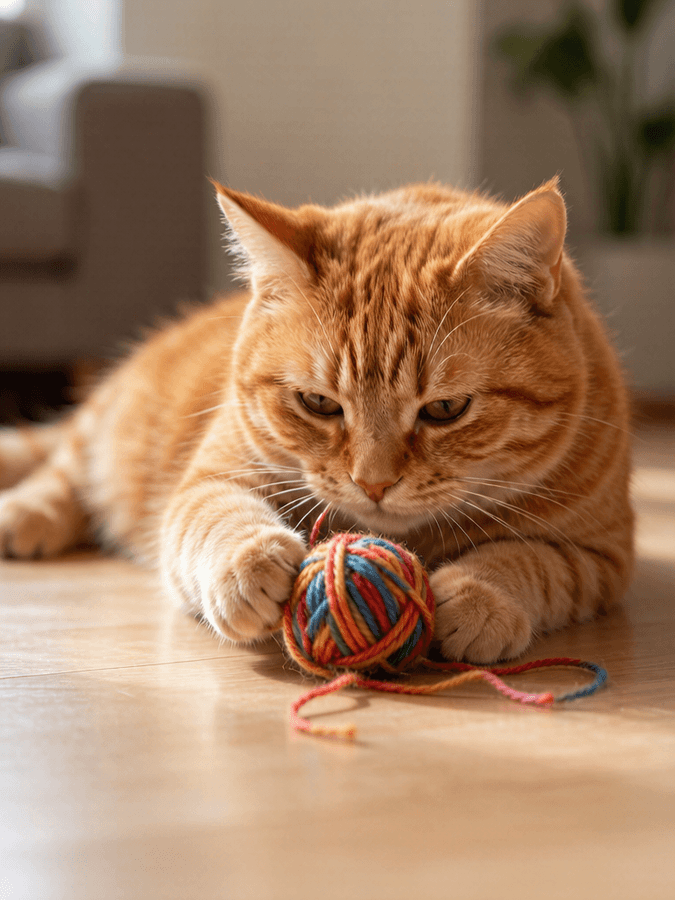
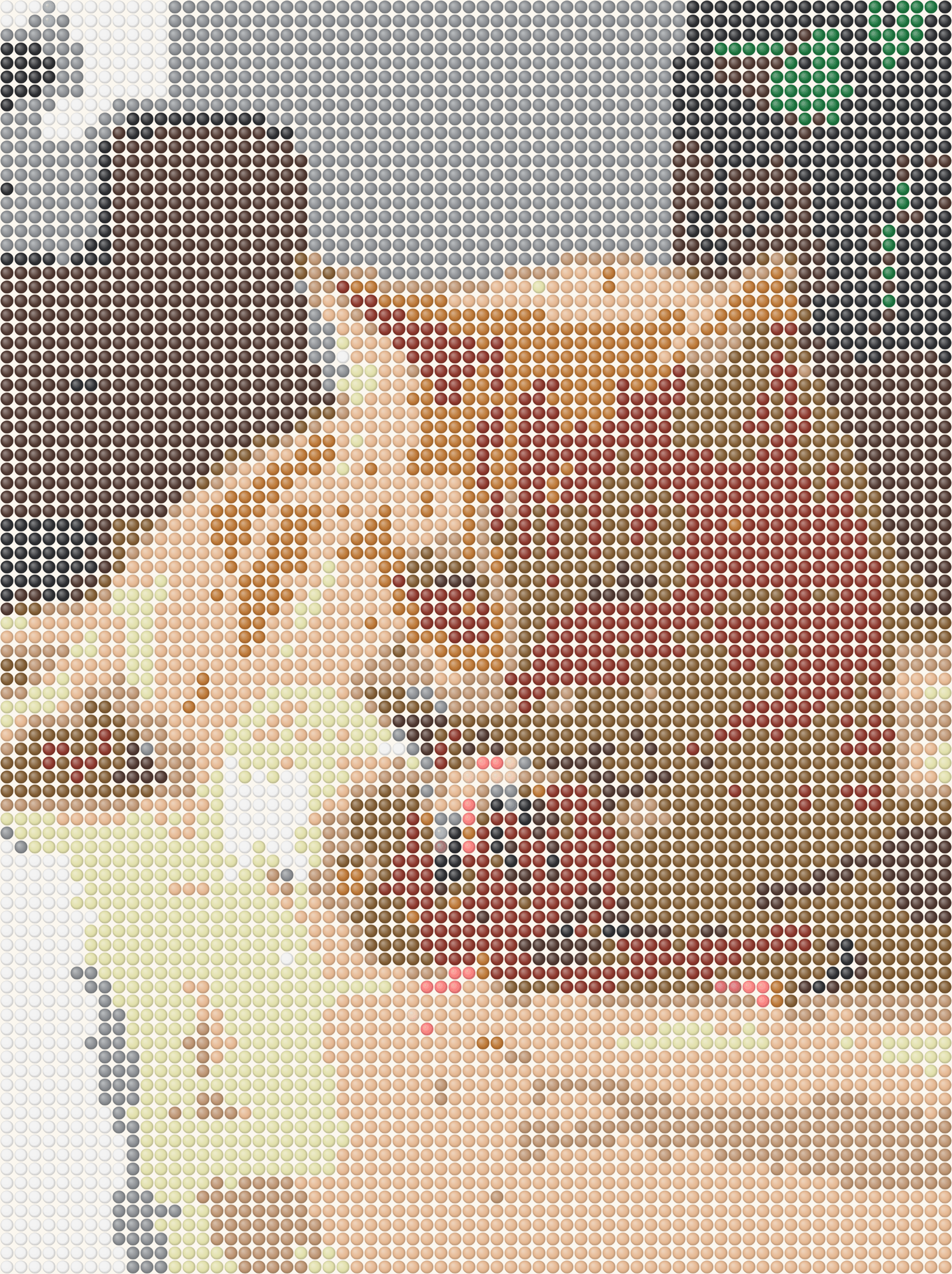
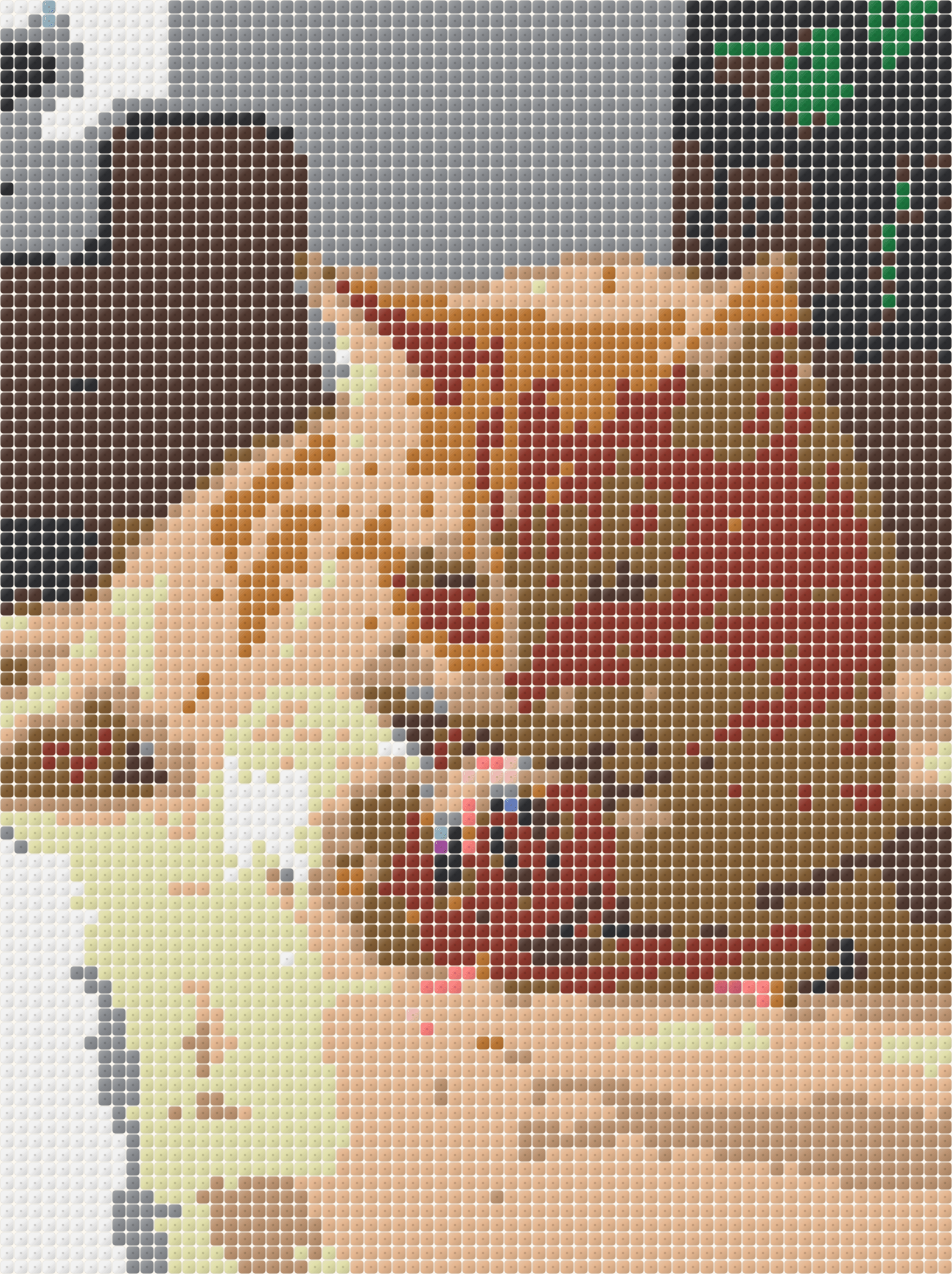
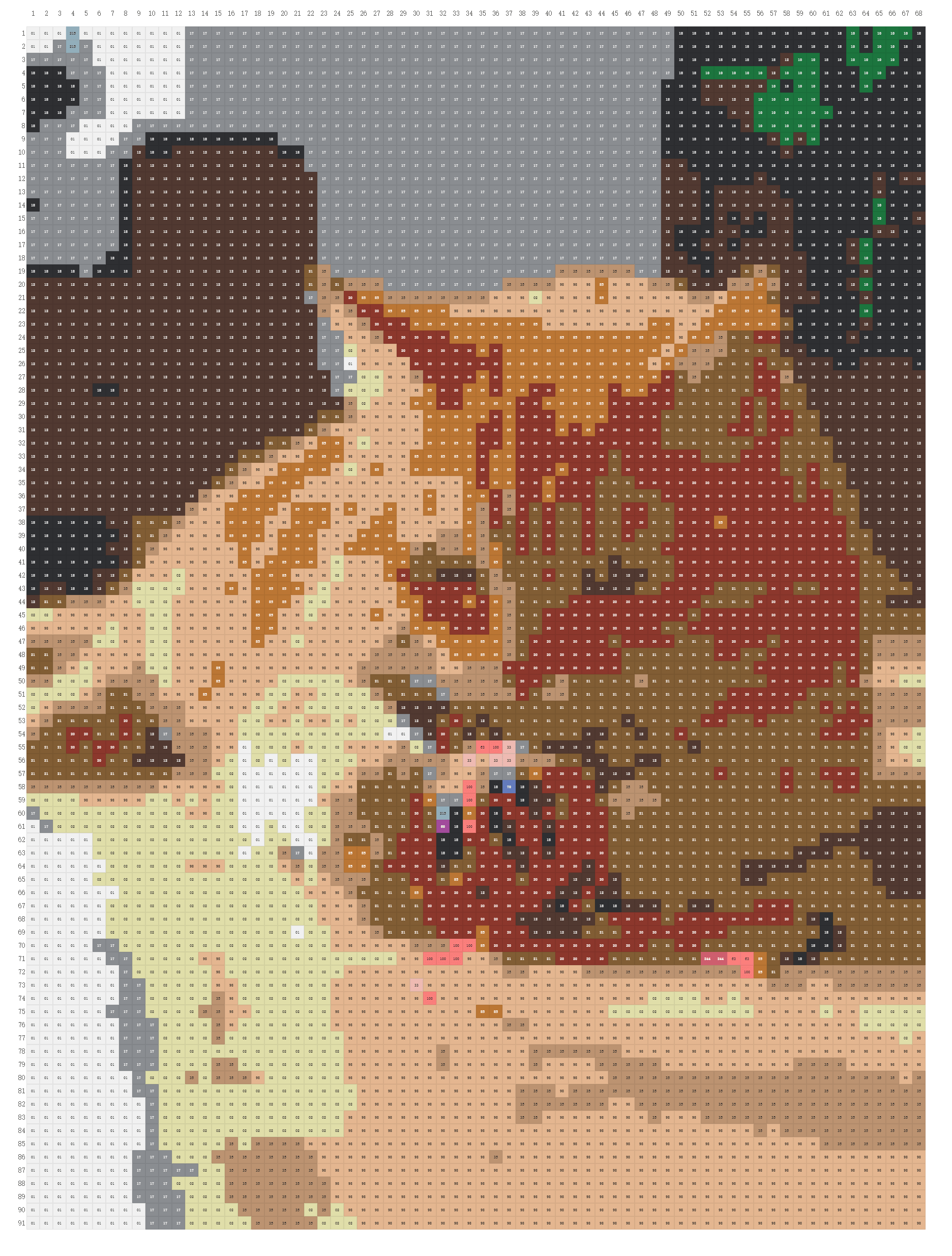
How it works
Three steps. No sign-up, no upload.
-
01
Upload a photo
Drop or paste any image. Pixel art, logos and bold illustrations give the cleanest patterns.
-
02
Tune live
Pick the grid size, your bead brand (Perler / Hama / Artkal / MARD) and a color limit 鈥?the pattern updates as you adjust.
-
03
Print & build
Export a printable chart with color codes and a per-color bead count, then place beads board by board.
Why crafters use Beadful
Built for people who actually iron the beads afterwards.
-
Real brand colors
Every cell matches the closest real Perler, Hama, Artkal or MARD color 鈥?what you see is what you can buy.
-
Fewer colors, simpler builds
Cap the palette so rare colors merge into their closest neighbors and you buy fewer bags.
-
Printable chart + list
Export PNG, a clean print / PDF chart, and a CSV shopping list with exact bead counts per color.
-
Edit every bead
Paint, erase, fill and pick colors on the grid before you build 鈥?fix the spots a photo can't.
-
Private by design
The image is processed entirely in your browser; nothing is uploaded and no account is needed.
-
Free to start
No account, no watermark, no limits on basic use. Open the studio and try a sample in seconds.
What is Beadful Studio?
A free photo-to-bead converter for Perler, Hama, Artkal & MARD.
Beadful Studio is a free online Perler bead pattern maker that turns any photo into a printable fuse bead (melty / iron bead) chart. It matches each cell to real brand colors, builds a bead shopping list with exact counts, and runs entirely in your browser 鈥?nothing is uploaded and no account is required.
Use it as an image-to-Perler converter, a Hama bead pattern generator, or an Artkal / MARD chart maker. For a step-by-step walkthrough, see how to make a Perler bead pattern from a picture.
Frequently asked questions
Answers to what people search for when looking for a photo-to-bead converter.
How do I turn a picture into a Perler bead pattern?
Open the Studio, upload your picture, choose Perler, set the grid width, and generate. Export a printable chart with real color codes and a bead shopping list 鈥?all in your browser.
How to make a Perler bead pattern from a picture free?
Use Beadful Studio鈥檚 free online maker: drop in a photo or image, match Perler / Hama / Artkal / MARD colors, then export PNG, a printable chart, or CSV. No account, no watermark.
How to turn a photo into a fuse bead pattern?
Fuse beads (melty / iron beads) use the same steps as Perler. Upload the photo, pick your brand palette, generate the grid, print the chart, then iron.
Can I convert a photo to Hama beads online?
Yes. Select Hama as the brand so every cell maps to real Hama colors and codes. Artkal and MARD work the same way.
What size is a 29脳29 Perler bead pegboard pattern?
A standard square pegboard is 29脳29 beads. Set width to 29 for one board, 58 for two, or 87 for three. Larger widths keep more photo detail but need more beads.
Is there a free online Perler bead pattern maker from an image?
Yes. Beadful Studio is a free image-to-Perler converter and pattern maker website 鈥?custom patterns from your photo, printable chart, shopping list, no signup.
Can I turn pixel art into a Perler bead pattern?
Yes. Pixel art, logos, emoji and sprites convert cleanly. Upload the image, match width to your pegboard, and export the chart.
Can I get a printable Perler bead chart and shopping list from a photo?
Yes. Export includes a printable chart with brand color codes and a per-color bead count (CSV) so you know what to buy before you build.
Does an online Perler bead pattern maker upload my photo?
Beadful Studio does not. Conversion runs in your browser; the photo never leaves your device.
Ready to turn your photo into a bead pattern?
Open the studio 鈥?no account, no watermark, nothing to install.
Open the Studio